

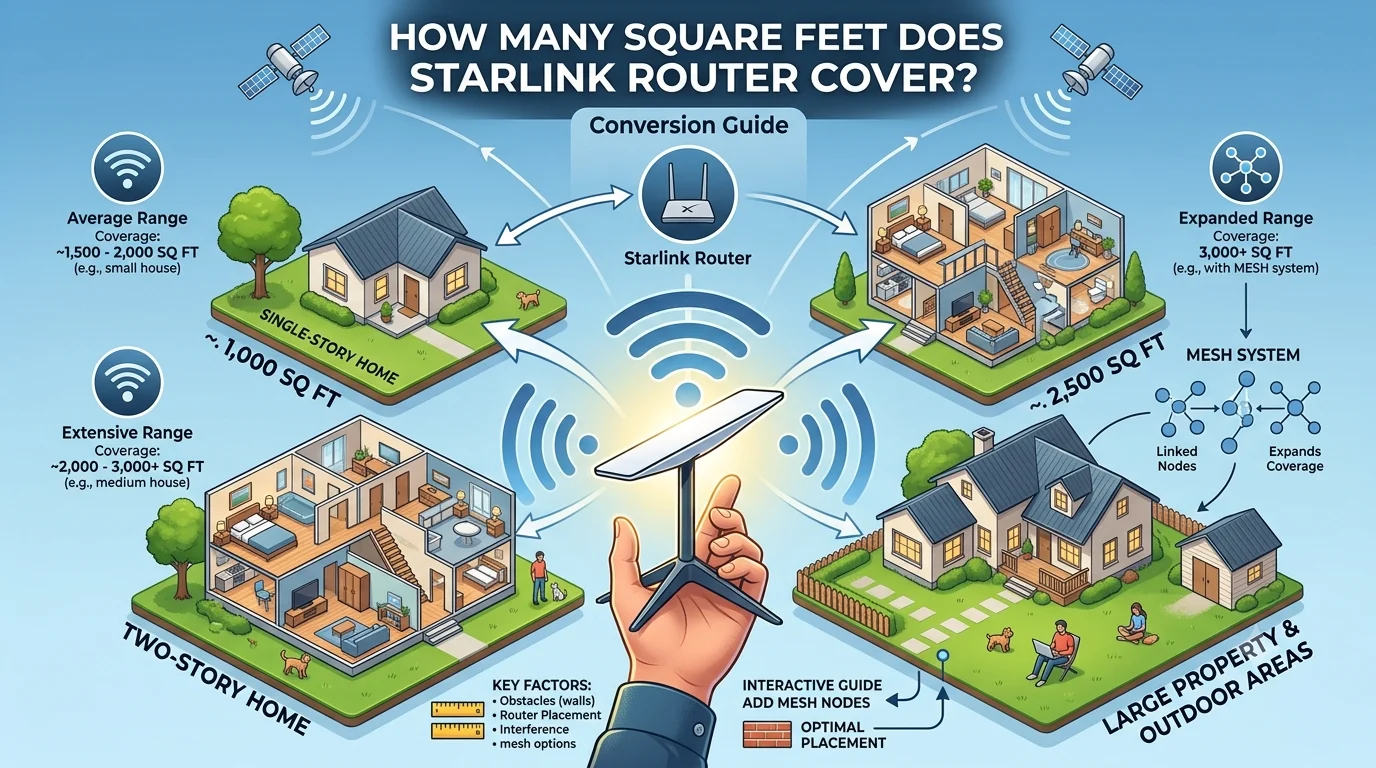
Starlink routers are designed to provide reliable Wi-Fi coverage throughout most homes, but the exact area they cover depends on several factors, including the router model, your home’s layout, wall materials, and where the router is placed. On average, a Starlink router can cover up to 3,200 square feet (297 square meters) under ideal conditions, though real-world coverage is often lower.
If you’re wondering whether one Starlink router is enough for your home or if you need a mesh setup, this guide explains everything you need to know.
Average Starlink Router Coverage
The coverage area varies by hardware generation.
| Starlink Router | Approximate Coverage |
|---|---|
| Gen 2 Router | Up to 2,000 sq ft |
| Gen 3 Router | Up to 3,200 sq ft |
| Gen 3 with Mesh Nodes | 5,000+ sq ft depending on setup |
These numbers assume an open floor plan with minimal obstructions.
What Affects Starlink Router Coverage?
Several factors determine how many square feet your Starlink router can effectively cover.
Home Layout
Open layouts allow Wi-Fi signals to travel farther. Multiple rooms, long hallways, and separate floors reduce coverage.
Wall Materials
Different materials weaken wireless signals to varying degrees.
- Drywall: Minimal interference
- Wood: Low interference
- Brick: Moderate interference
- Concrete: High interference
- Metal: Very high interference
Homes with concrete or brick walls may experience weaker signals in distant rooms.
Router Placement
For the best performance:
- Place the router near the center of your home.
- Keep it elevated on a shelf or table.
- Avoid placing it inside cabinets.
- Keep it away from microwaves and large metal appliances.
Even moving the router a few feet can improve coverage.
How Many Square Feet Does the Starlink Gen 3 Router Cover?
The latest Starlink Gen 3 router offers significantly improved wireless performance compared to earlier versions.
Typical coverage:
- Up to 3,200 square feet
- Supports Wi-Fi 6 technology
- Better performance with multiple connected devices
- Improved range in larger homes
In real-world conditions, expect reliable coverage between 2,500 and 3,200 square feet, depending on obstacles.
How Many Square Feet Does the Starlink Gen 2 Router Cover?
The Gen 2 router typically covers:
- Around 2,000 square feet
- Suitable for apartments and average-sized homes
- Less powerful than the Gen 3 router
- May require a mesh node in larger homes
Is One Starlink Router Enough?
One router is usually enough if your home is:
- Under 2,500–3,000 square feet
- Mostly open inside
- Has standard drywall construction
You may need additional mesh nodes if your home:
- Exceeds 3,000 square feet
- Has multiple stories
- Has thick brick or concrete walls
- Includes detached buildings or garages
Starlink Mesh Wi-Fi Coverage
Adding Starlink mesh nodes expands your wireless network.
Example coverage:
| Setup | Approximate Coverage |
|---|---|
| One Router | Up to 3,200 sq ft |
| Router + One Mesh Node | Around 5,000 sq ft |
| Router + Two Mesh Nodes | 6,500–7,500+ sq ft |
Coverage depends on node placement and building materials.
Practical Examples
Small Apartment (900 sq ft)
One router easily covers the entire apartment.
Average Family Home (2,200 sq ft)
One Gen 3 router usually provides strong coverage throughout.
Large Home (3,800 sq ft)
A router plus one mesh node is recommended.
Multi-Story House
Placing one mesh node on each floor improves signal consistency.
Wi-Fi Coverage vs. Internet Speed
Coverage and speed are different.
Coverage refers to how far the Wi-Fi signal reaches.
Internet speed depends on:
- Starlink satellite connection
- Network congestion
- Weather
- Connected devices
- Distance from the router
A strong Wi-Fi signal doesn’t always guarantee maximum internet speed.
Tips to Maximize Starlink Router Coverage
Follow these best practices:
- Place the router in a central location.
- Keep it elevated.
- Avoid placing it behind furniture.
- Keep firmware updated.
- Limit interference from electronics.
- Add mesh nodes for large homes.
These steps help improve both range and reliability.
Common Mistakes
Many users unknowingly reduce Wi-Fi performance by:
- Placing the router inside a cabinet
- Installing it in a basement
- Positioning it near thick concrete walls
- Putting it next to TVs or microwaves
- Expecting one router to cover very large homes
Avoiding these mistakes can noticeably improve coverage.
Starlink Router Coverage Comparison
| Feature | Gen 2 | Gen 3 |
|---|---|---|
| Maximum Coverage | Up to 2,000 sq ft | Up to 3,200 sq ft |
| Wi-Fi Standard | Wi-Fi 5 | Wi-Fi 6 |
| Device Capacity | Good | Better |
| Large Home Performance | Moderate | Excellent |
| Mesh Support | Yes | Yes |
When Should You Buy a Mesh Node?
Consider adding a mesh node if:
- You experience dead zones.
- Your home has multiple floors.
- Outdoor Wi-Fi is weak.
- You frequently lose signal in bedrooms or offices.
- Your home is larger than 3,000 square feet.
Mesh nodes extend coverage without creating separate Wi-Fi networks.
Expert Tips
To get the most from your Starlink router:
- Test signal strength in every room after installation.
- Reposition the router if certain areas have weak reception.
- Keep mesh nodes within range of the main router.
- Restart the router occasionally after firmware updates.
- Avoid stacking electronic devices around the router.
FAQs
How many square feet does a Starlink router cover?
The latest Starlink Gen 3 router can cover up to 3,200 square feet under ideal conditions. Actual coverage depends on your home’s layout and construction.
Is one Starlink router enough for a large house?
It may be enough for homes up to around 3,000 square feet. Larger homes often benefit from one or more mesh nodes.
Does Wi-Fi go through concrete walls?
Yes, but concrete significantly weakens Wi-Fi signals, reducing coverage and speed.
Can I extend Starlink Wi-Fi?
Yes. Starlink supports mesh Wi-Fi systems that expand coverage throughout larger homes.
Does Starlink router coverage affect internet speed?
Coverage affects the strength of your Wi-Fi signal, while internet speed also depends on satellite connectivity, network traffic, and environmental conditions.
Conclusion
If you’re asking how many square feet does Starlink router cover, the answer depends on the router generation and your home’s layout. The latest Starlink Gen 3 router covers up to approximately 3,200 square feet in ideal conditions, making it suitable for many medium to large homes. For larger properties, multi-story houses, or buildings with thick walls, adding Starlink mesh nodes is the best way to eliminate dead zones and maintain strong, consistent Wi-Fi throughout your space. Proper router placement and minimizing interference can also make a significant difference in real-world performance.